Hidden Behaviors in MOPy Fish
MOPy Fish shipped with a speed boost and other hidden features that couldn't be reached. Enable debugging and trigger them yourself.
November 23, 2026
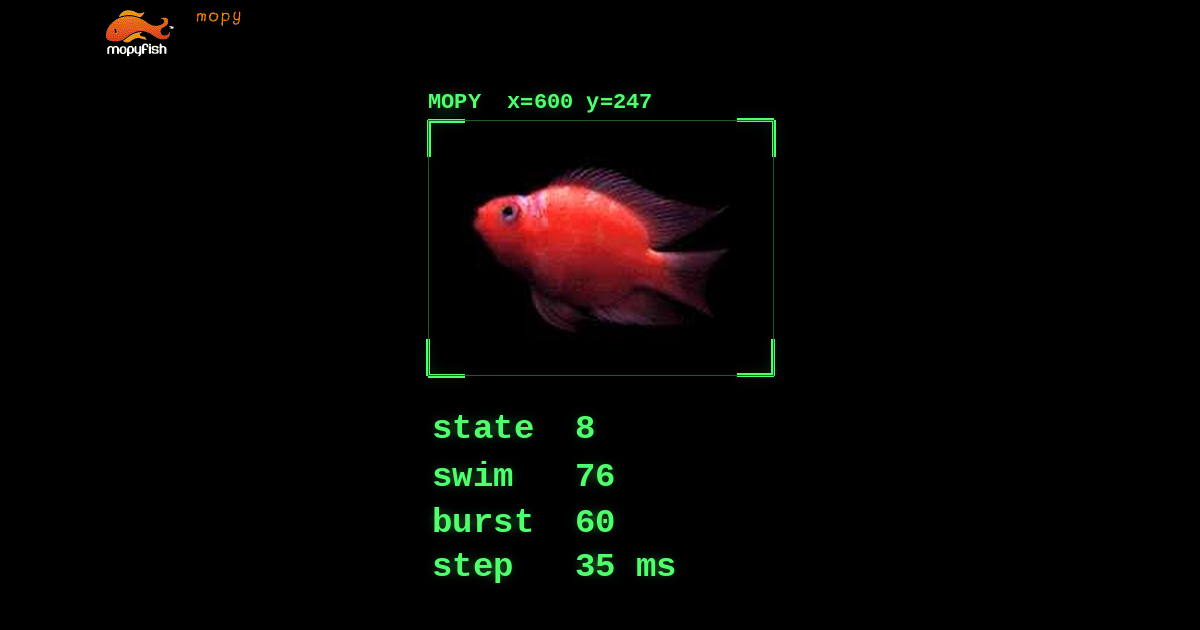
Cheat codes were not the only hidden things I uncovered in MOPy Fish by reverse engineering it with AI.
There were also parts of the code that were straight up unreachable from anywhere in the application. Dead code, basically.
The logic and the data are there, but the values that would switch them on are not set by anything. Now that's interesting - what in the world could be hiding there?
So here's what I found:
Contents
Three hidden states
The animation of the fish runs on a state machine. Events trigger states: the application starting up, hunger, feeding, or clicking somewhere in the tank. Each state that isn't just swimming around freely (state 0) has a small lookup table: for each of the 33 animation clips, it lists which clip to play next. When the state is completed, the fish goes back to free swimming, where random numbers choose the next clip.
But 3 of the states - number 3, 4 and 8 - are defined, without having anything in the application that could ever make them occur.
Here's a table produced by an agent (Opus 5.5) running in the RE repository, describing the fish behavior within those states, along with its best guess as to why that state exists but isn't used:
| State | Name | What the fish does | Best guess why |
|---|---|---|---|
| 3 | Rapid Laps | Races through a fixed loop at top speed (hover, turn side-on, swim across, swim back, face you), about two laps, then goes back to normal swimming. | A developer test. It plays state 9's route (which is normally triggered when the fish was last fed 24-25 hours ago) at top speed with a lap limit, which looks like a quick way to check one sequence's transitions without waiting. It covers only 6 of the 33 clips, so it wasn't a tour of every animation. It could also be an early version of state 9 that was later slowed down. |
| 4 | Endless Lap | Repeats its longest routine forever: faces you, turns, swims across, turns back, and starts over. Clicking the tank doesn't stop it. | Also a developer test. Clip 25 is the longest animation at 153 steps, and looping it would let someone check that the end joins cleanly back to the start. A user would have had no way to leave this state, which also points to an internal tool. |
| 8 | Endless Hover | Hangs in place facing you, fins moving, with no rule that ends it. | A greeting that was cut. Greetings 5 and 6 use the same pattern of the front-on hover paired with one other clip. Startup still checks a flag for state 8, and in the uptime-to-greeting mapping, 0 hours is the one value without a greeting. A second option is a placeholder "idle" state that was never connected. |
The agent relied on the reverse engineered logic of these states from the original binary, as well as a visual inspection of the image sequences triggered by the state, to come to these conclusions.
Since there's no official documentation of this, there's no way to know for sure what the actual intentions were. But feel free to speculate!
There are two more pieces of dead code. They aren't states, but you can trigger both from the debug panel at the end of this post.
| Name | What it is | What the fish does | Best guess why |
|---|---|---|---|
| Float Up | Swim program 76. Swim programs move the fish while a clip plays, and each clip's data picks one by number. The clips use numbers 70 to 75 and 77 to 84, so 76 is never selected. | Drifts slowly upward while getting smaller, as if it's moving away from you, until it reaches a set depth. It never moves sideways. | A number that was skipped, or what's left of a clip that was removed. |
| Speed Burst | A countdown that runs the animation at 35 ms per step for a set number of steps, then drops to 80 ms. Nothing ever sets the countdown, so it never starts. | Moves faster than at any normal speed (40, 80, 100 or 120 ms per step) for a short burst. | A fast mode that was moved or deleted. It isn't the fast window you get after feeding, which is separate code. The code also writes its speed in the wrong order, so it might not have worked even if something had started it. |
An unused swim program
The 33 animation reels only decide how the fish looks. Moving it around the tank is the job of 15 small swim programs, numbered 70 to 84, which change its position and size on every step. Each one has a fixed pattern, but most of the amounts are random, so the fish rarely moves the same way twice. I have covered all 15 swim programs in Going Through the Motions.
Swim program 76 is complete and works, but none of the reels point to it, so it never runs. Triggered by hand, it makes the fish float straight up while shrinking into the distance, without moving sideways.
I've tried it in debug mode, and it doesn't look like a natural movement for a fish. The one place I can imagine it play out, is when near the bubbles in the lower left corner (once unlocked), as if they lifted the fish up. I'm definitely open to other ideas.
A speed boost that's never used
The animation of the fish normally moves one frame every 80 ms, plus a short 1 second boost after you feed it or click the tank (10 to 40 ms, depending on the speed setting below).
When the thermometer is unlocked (at 2400 MOPy points) a button appears on the lower panel, that allows you to change the speed setting. You can move it between 40 / 80 / 100 / 120 ms.
But there's a hidden function, buried in the code, that temporarily boosts the speed beyond that: to only 35ms between frames. It works through a countdown variable: if the variable is set to e.g. 50, then the next 50 animation steps will be executed at a 35ms speed. But nothing in the application ever sets the countdown to anything but 0. So there's never any speed-up. Poor fish never gets a boost.
The Speed Burst button I have added to the Debug panel sets the countdown to 60, so you can give MOPy that jolt of energy for about 2 seconds, while you're sipping your coffee. Only seems fair.
If 2 seconds isn't enough, you can also set your own value by opening the Console in your browser's Developer Tools and running something like:
mopyDebug.burst703(1200)For about a minute of fish-zoomies!
Try the hidden functionality
Since the browser re-implementation of MOPy Fish is faithful to the original, all that hidden functionality is also present there. Which means I easily added a little debug panel, allowing us to trigger those hidden functions. Want to try? Just append /?debug=1 to the end of the URL, or click the link below:

I'm Simon Ahm, and I take on contract work. If this post is close to what you're working on, I can help: consultedo.com.